Custom Objects
The utility supports custom objects in modules and a separate data/ folder. In modules, developers can create ready-made abilities, heroes, or entire races. Map developers using these modules can override some of these objects' parameters.
Creating Custom Objects
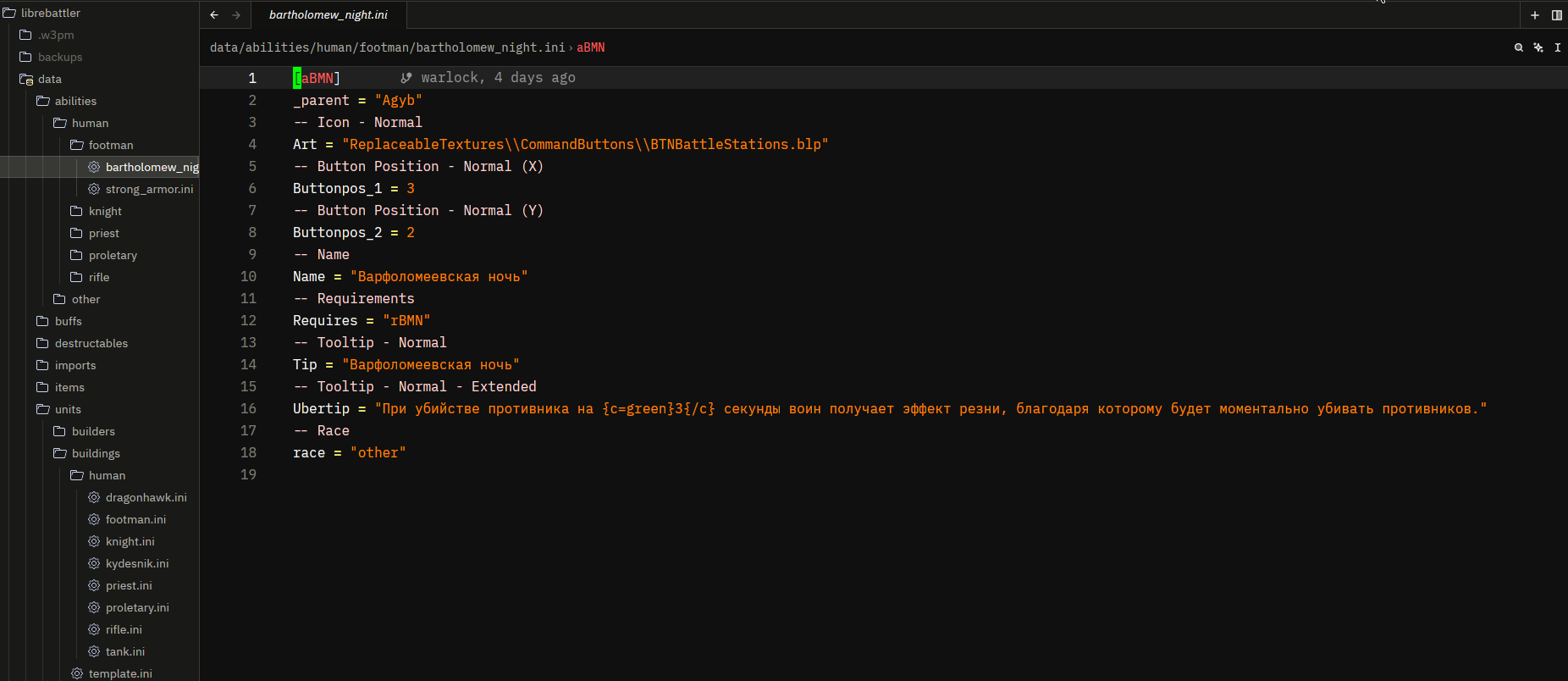
Objects use the lni format from w3x2lni or regular JSON. You can create objects in the corresponding directories in the data/ folder:
{
    "abob" : {
        "_parent": "Agyb",
        "Name": "Test Name",
        "Health" : 12,
        "list" : [
            "test", "test2", "test3"
        ]
    }
}
The advantage is the ability to completely sort objects into folders, as well as the ability to use inheritance and field formatting.
However, the same JSON format is automatically converted to an lni file, so only the same objects are available in the lni file.
To check the correctness of the file, you can use the command:
If the file is written correctly, you will see the .lni version that will be written to the map. If errors are found in the file, the command will point them out.
The check will also occur when compiling the map.
Inheritance
kuniwar allows you to use inheritance to reduce repetition in code and simplify object creation.
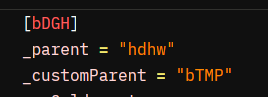
For this, the field _customParent = 'yourobjectID' can be added to any object. All parameters that your current object does not have will be taken from the parameters of the object with the specified ID. This can be quite convenient when you have a lot of objects with a lot of identical parameters.
Formatting
If you, like me, hate constantly editing item descriptions, the stinking Warcraft hex, and the like, you can use string field formatting.
Colors
You can use standard colors to format text by placing the desired text in the following structure:
For example:

Currently, HEX (c=00FFAA), RGB (c=rgb(12, 100, 255)), and the following preset colors are available:
- black: (000000)
- white: (FFFFFF)
- red: (FF0000)
- green: (00FF00)
- blue: (0000FF)
- yellow: (FFFF00)
- cyan: (00FFFF)
- magenta: (FF00FF)
- gray: (808080)
- orange: (FFA500)
- purple: (800080)
- pink: (FFC0CB)
- brown: (A52A2A)
- navy: (000080)
- teal: (008080)
- lime: (00FF00)
All of these are automatically converted to Warcraft hex when compiling the map.
Russian Characters
As is well known, Russian characters take up more space, and sometimes problems arise where the description simply doesn't fit in the line. Many partially solve this problem by seamlessly replacing Russian characters in descriptions with similar English ones. kuniwar does the same, but automatically. There's no need to use third-party programs, as all custom objects support this.
Inserting Fields
Warcraft's standard formatting allows you to insert parameters from other objects into text fields, for example: <Abil,DataA> and the like. In kuniwar, you can use a similar construct - {f=Abil.DataA}.
Custom Fields
The file structure allows you to add custom fields that can be later inserted into text or used in map code, as discussed below. For example:
Overwriting Fields
Let's imagine you've added a module with a custom grace to your project. Everything is fine, the ability is already there, but you want to change the mana cost of a spell. How do you do this?
The project has a separate data folder with different folders for different objects. For example, there's an abilities folder where you can create your own abilities without editing the map itself. In this same folder, you can also create an overwrite folder to store overrides.
Example .ini file in a module:
[SHhb]
_parent = "ANcl"
-- Cooldown
Cool = 1.0
-- Mana Cost
Cost = 0
--Follow Through Time
DataA = 0.01
--Target Type
DataB = 1
-- Options
DataC=1
-- Art Duration
DataD = 0.01
--Disable Other Abilities
DataE = 0
--Base Order ID
DataF="corrosivebreath"
--Editor Suffix
EditorSuffix = "[Paladin]"
--Name
Name = "Holybolt"
-- Tooltip - Normal
Tip = "Holybolt"
--Hero Ability
hero = 0
--Levels
levels = 1
--Targets Allowed
targs = "enemies,friend,notself,organic,allies"
Let's say I want to change the mana cost, since it's zero here. To do this, I need to create a file named data/abilities/overwrite/name.ini. The file name doesn't matter and can be anything.
The file will contain the following:
This will change the Cost parameter in the object with the ID SHhb from 0 to 100. When compiling, the utility will also warn you that the change is being made.
Hint
Comments (lines beginning with --) are optional; they're just a marker for you to make things easier.
Generating files with objects
kuniwar allows you to automatically generate files with objects: